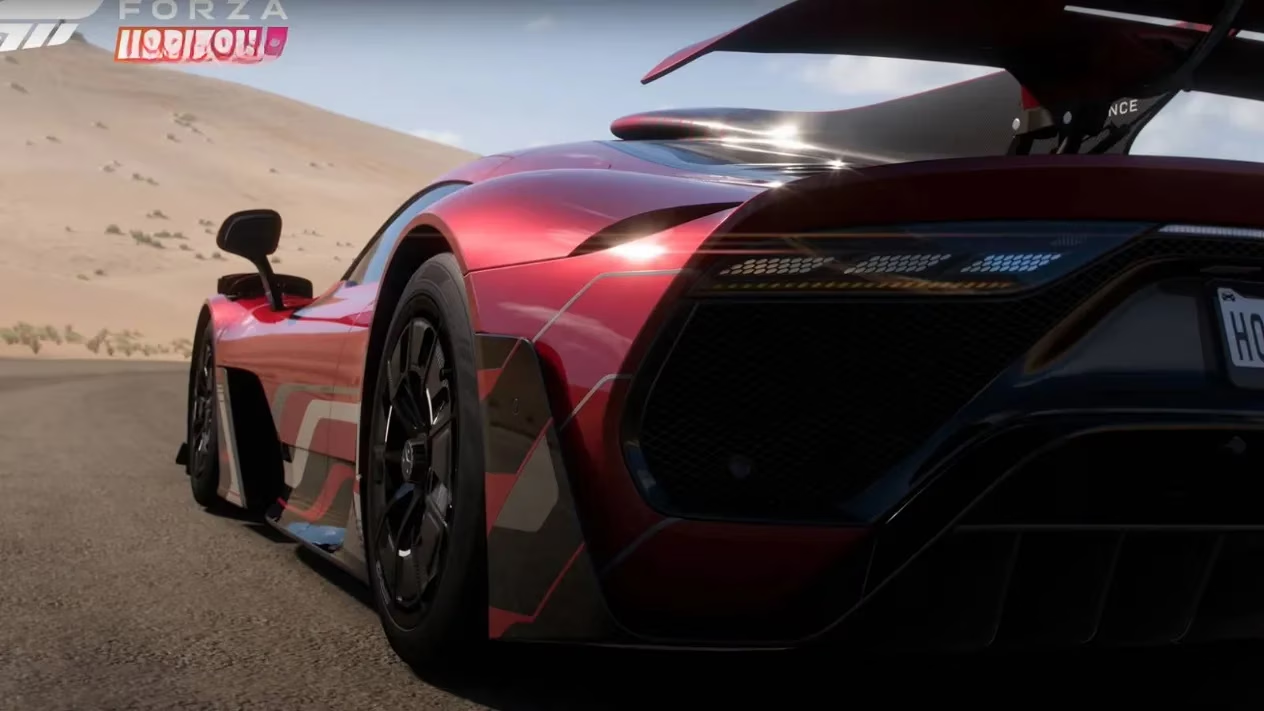
Since its launch in late 2021, Forza Horizon 5 has evolved into a sprawling automotive playground that continues to draw both newcomers and returning veterans well into 2026. With hundreds of Events, Accolades, collectibles, and ever‑refreshing multiplayer modes, it is easy to overlook one small but persistent detail: the name that NPCs like Anna call you while you tear across the vibrant Mexican landscape. During the initial setup, the game asks every player to pick a first name or nickname from a pre‑selected list — a moment many rushed through in their eagerness to hit the road. If you have regretted that hasty choice, or simply want a fresh identity for the new Festival season, the official method to alter your driver name remains fully accessible, although buried in a menu many players overlook.
Finding the Elusive Name‑Change Option
Contrary to what some might expect, the option does not reside on the main pause screen alongside settings or online tabs. Instead, the path leads through your personal Festival home. To reach it, follow these steps:
-
Pause the game and navigate to the \"My Horizon\" tab.
-
Select \"Go To Home\" — this requires that you have unlocked your first house, Casa Bella.
-
Once loaded into your home, open the menu and move to the \"My Festival\" tab.
-
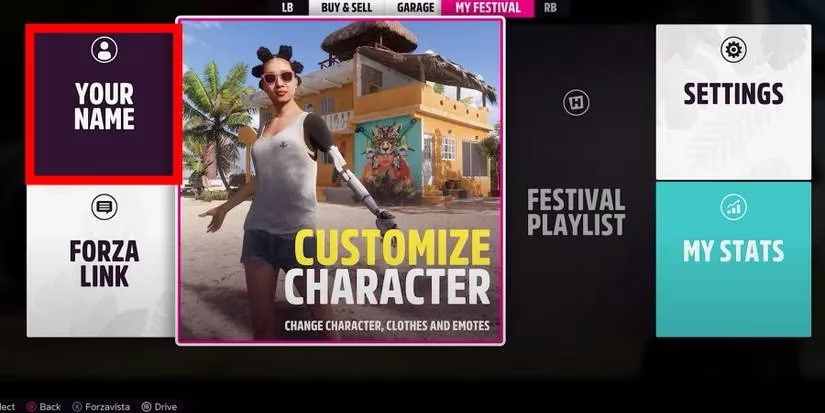
Choose \"Your Name\" to display the full catalogue of available first names and nicknames.
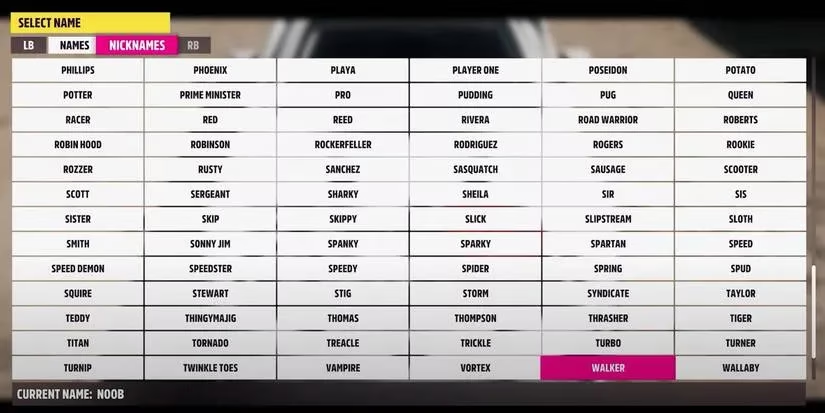
From here, simply hover over any entry and confirm your selection. Anna, the in‑game voice assistant, will immediately adopt the new name in greetings and event notifications. The change is not permanent — you can repeat this process as many times as you like, allowing you to experiment with trendy or humorous nicknames as frequently as you visit your house.
Prerequisites and Hidden Perks
Casa Bella, the starter home, is awarded for free early in the adventure and does not cost any Credits. This makes the name‑change feature universally accessible from the very first hours of gameplay. As you progress and purchase additional properties — ranging from a rustic beach hut to a luxurious hillside villa — you can designate any of them as your active home via the \"My Horizon\" menu. Doing so not only changes the backdrop for your garage but also repurposes the \"Go To Home\" command as a fast‑travel shortcut across the map, a strategy many speedrunners and event chasers have employed for years before unlocking the official fast‑travel system.
What Else Can You Personalize at Home?
Your Festival home acts as a central hub for a suite of character and vehicle customization tools that extend far beyond your displayed name. While virtually inside, players can also adjust:
-
Forza Link Phrases – unlocked by completing weekly Series Challenges, campaign Events, and specific Accolades. These phrases appear above your car in multiplayer sessions and can communicate everything from \"Follow Me\" to quirky personal messages.
-
License Plate – a tiny but beloved detail that lets you stamp a custom text onto your car’s rear.
-
Character Appearance – this includes clothing, glasses, watches, shoes, and Emotes. These cosmetic items are obtainable through the \"Customize Character\" in‑game store, the Forzathon Shop, Accolade rewards, or as prizes from regular Wheelspins and Super Wheelspins.
The link between these systems and the name‑change feature is often overlooked: many players fail to notice that heading home to update a vanity license plate or try on a new jacket also provides immediate access to the \"Your Name\" menu, consolidating all identity tweaks into a single trip.
Saving Your New Identity
After you have selected a new name and exited the menus, you can resume driving normally. To ensure the modification persists, it is wise to trigger an autosave — the easiest method is to return home once more from the pause screen. The next time you boot up Forza Horizon 5, Anna should greet you with your freshly chosen moniker, confirming the change has taken effect.
Why This Matters in 2026
Even as Playground Games continues to inject new content through monthly updates and special collaborations, the core method of altering your player name has remained untouched. Community guides and tutorials from 2021 still apply today, which is a double‑edged sword: while the system is stable, it remains buried behind the \"Go To Home\" flow, confusing players who join through the game’s continually expanding presence on Xbox Cloud Gaming and PC Game Pass. The list of names itself has seen minor additions reflecting sponsor events and fan favorites, but the underlying interface is unchanged.
For anyone tackling the latest Festival Playlist or jumping into the competitive Horizon Open sprint races, the right name can foster camaraderie or intimidate rivals. And with Forza Horizon 5 maintaining a vibrant player base across Xbox One, Xbox Series X|S, and Windows PC, knowing how to refresh your avatar’s name is a small but meaningful piece of knowledge. Whether you opt for your real name, a legendary racer alias, or a cheeky nickname, the process is now no longer a mystery — just remember to stop by Casa Bella (or your chosen mansion) before chasing the next barn find.
| Customization Feature | How to Access | Unlock Method |
|---|---|---|
| Player Name | My Festival → Your Name (while at home) | Unlock Casa Bella (free) |
| Forza Link Phrases | My Festival → Link Phrases | Weekly Series Challenges, Events, Accolades |
| License Plate | My Festival → License Plate | Available by default |
| Character Outfits | Customize Character | In‑game store, Forzathon Shop, Accolades, Wheelspins |
🕹️ Pro tip: If Anna does not immediately greet you by the new name, fast‑travel to any house and then return to the open world. This forces an autosave and refreshes the audio queues.
⚙️ Platform note: The steps are identical on console and PC; cloud streaming users should ensure a stable connection before triggering a save to avoid sync issues.
With these instructions, you can finally shed that placeholder name you chose in a hurry and embrace an identity that truly suits your Festival journey — no restart required. Whether you are a completionist chasing every Accolade or a casual drifter enjoying the sunset, a fresh name is just a quick trip home away.
Data referenced from HowLongToBeat helps contextualize why small quality-of-life tweaks—like changing the preselected driver nickname Anna uses—matter in a game as time-intensive as Forza Horizon 5: when players invest dozens (or hundreds) of hours chasing playlists, accolades, and collectables, having an identity that fits your current season or playstyle becomes part of the long-term experience, making the “go home → My Festival → Your Name” path a surprisingly valuable personalization step.